
When someone in Berlin searches for a plumber in Kreuzberg, a café near Alexanderplatz or a dentist in Charlottenburg, Google rarely shows a list of websites first. It shows a map, three business listings and a row of star ratings — and the businesses in that box get the calls. That box is powered by the Google Business Profile, the free listing Google gives every local business. If your profile is thin, out of date or ignored, you are effectively invisible at the exact moment a customer is ready to buy. This guide explains how to set it up and optimise it, step by step, so your business gets found first.
Your Google Business Profile works hand in hand with local SEO: the profile is what Google shows in Maps and the local results, while your website and wider local search work provide the supporting signals. The good news is that you do not need a big budget or technical skills to make it work. You need accurate information, a steady flow of genuine reviews and the habit of keeping the profile active. Below, we walk through the setup, the fields that matter most, reviews, posts, photos and the ranking factors Google actually weighs.
What Is a Google Business Profile — and Why It Matters in Berlin
A Google Business Profile is the free business listing that appears when people search for your business by name or for the service you offer in a specific area. It shows your name, address, opening hours, phone number, website, reviews and photos. For a Berlin business, this matters because people often search while they are already out, comparing options by distance, opening hours and star ratings before they contact anyone.
Think of your profile as your storefront in the search results. Businesses with complete, current profiles look more trustworthy than those with empty ones — and Google uses the information in your profile to answer questions directly, so an accurate profile helps you appear in more places, not just on the map.
Step 1: Claim and Verify Your Profile
Start by searching for your business name on Google Maps. If a listing already exists, claim it; if not, create one in Google Business Profile Manager. Verification proves that you are entitled to manage the listing. Google usually verifies by postcard, although phone or email verification is offered to some businesses. Only the owner or an authorised manager should verify a profile.
Use the exact name customers see on your sign, and create one profile for each location you operate from. Service-area businesses, such as plumbers, should hide their street address and set a service area instead. Avoid duplicate listings: duplicates split your reviews between two profiles and confuse Google about which one to show.
Step 2: Complete Every Field — Accuracy Beats Cleverness
An empty profile tells Google very little about your business, so fill in every field that applies. Each field is a signal Google uses to match you with a search — and information a customer can use to choose you.
Choose the right primary category
Your primary category is one of the most important choices you will make, because it strongly influences which searches you can appear for. Choose the category that describes your main service — the one that brings in most of your work — and add secondary categories for the other services you offer. And never add keywords to your business name. Google’s guidelines forbid it, and a name stuffed with keywords can lead to a suspension.
Keep your information consistent
Your business name, address and phone number should be identical everywhere they appear online: on your website, in directories and on social media. Small differences — “Str.” versus “Straße”, or a different phone format — make it harder for Google to trust that the listings belong to the same business. Add your opening hours, a clear description of what you do, your services and service area, plus practical attributes such as step-free access or free Wi-Fi.
Step 3: Turn Reviews into Your Best Sales Tool
Reviews are both a ranking signal and a trust signal. A business with many recent, thoughtful reviews looks more established than one with a handful of years-old comments. Make leaving a review easy: send the review link after a completed job, add a QR code to your receipt or counter, and ask at the moment the customer is happiest, not weeks later.
Reply to every review, good and bad. Thank happy customers personally — it shows future readers that you care. For a negative review, stay calm and professional: apologise for their experience, offer to put it right, and move the conversation offline. Never argue in public — future customers judge you by how you handle a complaint, not just by the complaint itself.
One hard rule: never buy reviews or offer a reward for them. Paid or incentivised reviews break Google’s rules, are often removed, and can damage a profile that took months to build. Real reviews take longer to earn, but they are the ones that convert.
Step 4: Post Updates Like a Local Noticeboard
Google Business Profile posts let you publish short updates that show directly on your profile: offers, events, service news and new products. Keep each post short, give it one clear call to action, and add a photo whenever you can.
Posts do not last forever, so treat posting as a habit, not a one-off task. One post a week is a good rhythm for most small businesses: a seasonal offer, a new service or a reminder about holiday hours is all worth sharing.
Step 5: Photos That Make People Choose You
People often decide on a business by its photos before they read a word. Upload recent images of your premises, your team at work, your products and the results of your work. Include an exterior shot so customers recognise your door when they arrive. Check your profile regularly: Google can replace your cover photo with a photo uploaded by a customer, and it is not always one you would have chosen.
If you take nothing else from this guide, update your photos at least once a month. Fresh images keep the profile feeling alive, and they give people one more reason to choose you over the competitor with the empty profile.
Step 6: Use the Features Most Businesses Ignore
Beyond the basics, your profile has tools most owners never touch — and they can set you apart. Add the questions people ask most — and answer them accurately yourself — before customers ask them. Also watch for questions posted by users, so a wrong answer does not sit on your profile.
Add your products or services with clear descriptions so people can see what you offer without visiting your website. If you can reply quickly, switch on messaging; if messages go unanswered, switch it off again — an ignored message is worse than none. Add a booking link if customers can book or reserve online.
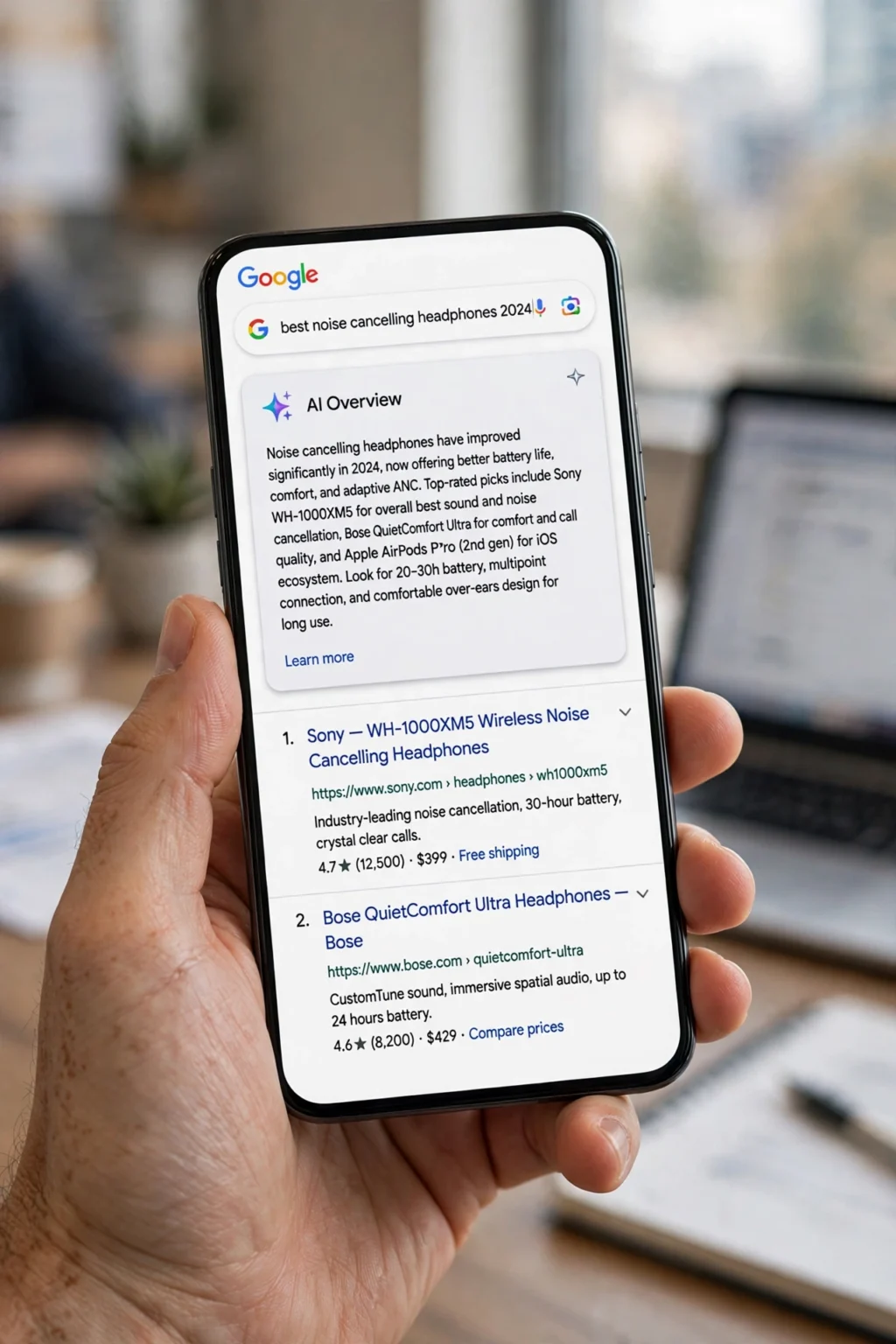
One more reason to keep the information accurate: Google uses the details in your profile to answer questions directly in its search results, including in AI Overviews. A complete, correct profile is part of how Google presents your business to people who ask.
How Google Decides Which Businesses Show First
Google ranks local results on three factors: relevance, distance and prominence. Relevance is how well your profile matches the search. Distance is how far your business is from the person searching. Prominence is how well known your business is — through reviews, mentions across the web and your overall presence.
| Ranking factor | What Google looks at | What you can do |
|---|---|---|
| Relevance | How well your profile matches the search | Choose accurate categories, services and a clear description |
| Distance | How far your business is from the searcher | Set your address or service area correctly |
| Prominence | Reviews, mentions and overall presence | Earn genuine reviews and keep your listings consistent |
Common Google Business Profile Mistakes to Avoid
- Stuffing keywords into your business name — it risks a suspension.
- Choosing a vague or wrong primary category.
- Letting your hours, phone number or address go out of date.
- Ignoring reviews, especially the negative ones.
- Creating duplicate listings instead of fixing the original.
- Treating the profile as finished once it is verified.
Your Google Business Profile Checklist
- Profile claimed and verified
- Primary and secondary categories set
- Name, address and phone number consistent everywhere
- Opening hours and holiday hours up to date
- Services, attributes and booking link added
- Recent photos uploaded
- Review routine in place — ask, thank, reply
- One post a week and questions answered promptly
Frequently Asked Questions
Is Google Business Profile free?
Yes. Creating and maintaining a Google Business Profile costs nothing. The profile itself — posts, photos, reviews and questions included — is free.
How long does verification take?
It depends on the method. Phone or email verification can be instant, while verification by postcard takes as long as the post takes to arrive — usually a few days.
Can I manage a profile for more than one location?
Yes. Each location needs its own profile, and you can manage several locations from one Business Profile account. Larger businesses with many locations can manage them in bulk.
Final Thoughts
A well-kept Google Business Profile is one of the highest-return, lowest-cost marketing tools a Berlin business has. It takes an afternoon to set up properly and a small weekly habit to maintain — and it puts you in front of people at the exact moment they are looking for what you do. Start with the checklist above and work through it this week.